
Open source · Linux and macOS
The calendar that closes your last browser tab.
OmaCal is a native desktop calendar for Google Calendar, iCloud and any CalDAV server. It was born on Omarchy Linux, for people who wanted an app instead of a tab and were juggling more accounts than one. It now runs on any Linux and on macOS, so it goes wherever you do.
curl -fsSL https://omacal.app/install.sh | shLinux x86_64 and macOS on Apple Silicon, one line for both. The installer verifies checksums and signatures; from then on the app updates itself with one click on its own notice. Prefer a package or a download? See every option.
Runs where you work
Made for the Omarchy community. Built so nobody has to leave theirs.
Omarchy is an opinionated Arch and Hyprland setup with a fast-growing community, and most of it arrived from somewhere else: another distro, a Mac, a pinned Google Calendar tab. OmaCal is one build for all of those, so the calendar is the same wherever you sit down.
- Omarchy and ArchAppImage, or the one-line installerWhere it was born. Theme colours follow yours live, and the bar widget ships in the box.
- Debian and Ubuntu.deb, installed with aptThe native package: no FUSE, no AppImage, updates through the app's own notice.
- Fedora and openSUSE.rpm from the release pageBuilt on every release alongside the others.
- Any other LinuxAppImage, x86_64One file, no install. Verified by checksum and signature.
- macOS on Apple Silicon.dmg, signed and notarizedOpens with a double-click. The installer line puts the omacal command on your PATH too.
- WindowsNot yetAsked for, and being thought about honestly rather than promised. Follow the issue.
Born on Omarchy
On a desktop where every tool is fast, themed and native, the calendar was the holdout.
New to Omarchy? It is the Arch and Hyprland Linux setup by DHH and 37signals. Get it at omarchy.org. OmaCal was built to close the one tab it left open.
Themed by your desktop
Colour comes from your Omarchy theme and follows omarchy-theme-set live: change theme, and OmaCal repaints with the rest of your desktop. No restart.
Native, not a browser tab
Built with Tauri, Rust and Svelte. It starts fast, sips memory, and behaves like a desktop program, because it is one.
A proper desktop citizen
Tray icon, start on login, reminders as real notifications. Closing the window hides it instead of quitting: a closed window that stopped firing reminders would be a bug.
What it does
A full client, not a viewer.
Everything you do in the web calendar, at desktop speed, across every account you have.
Five views, one keystroke apart
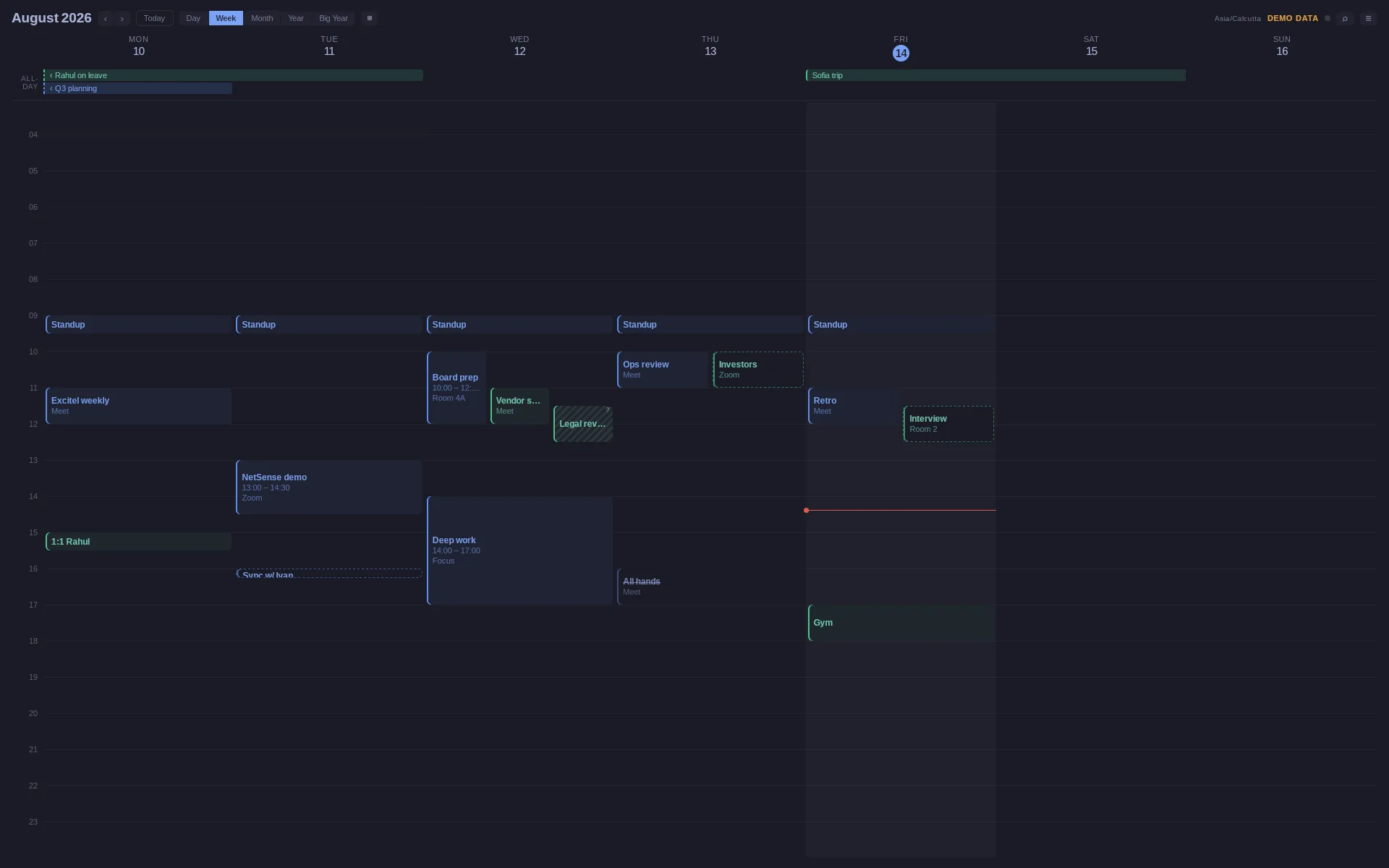
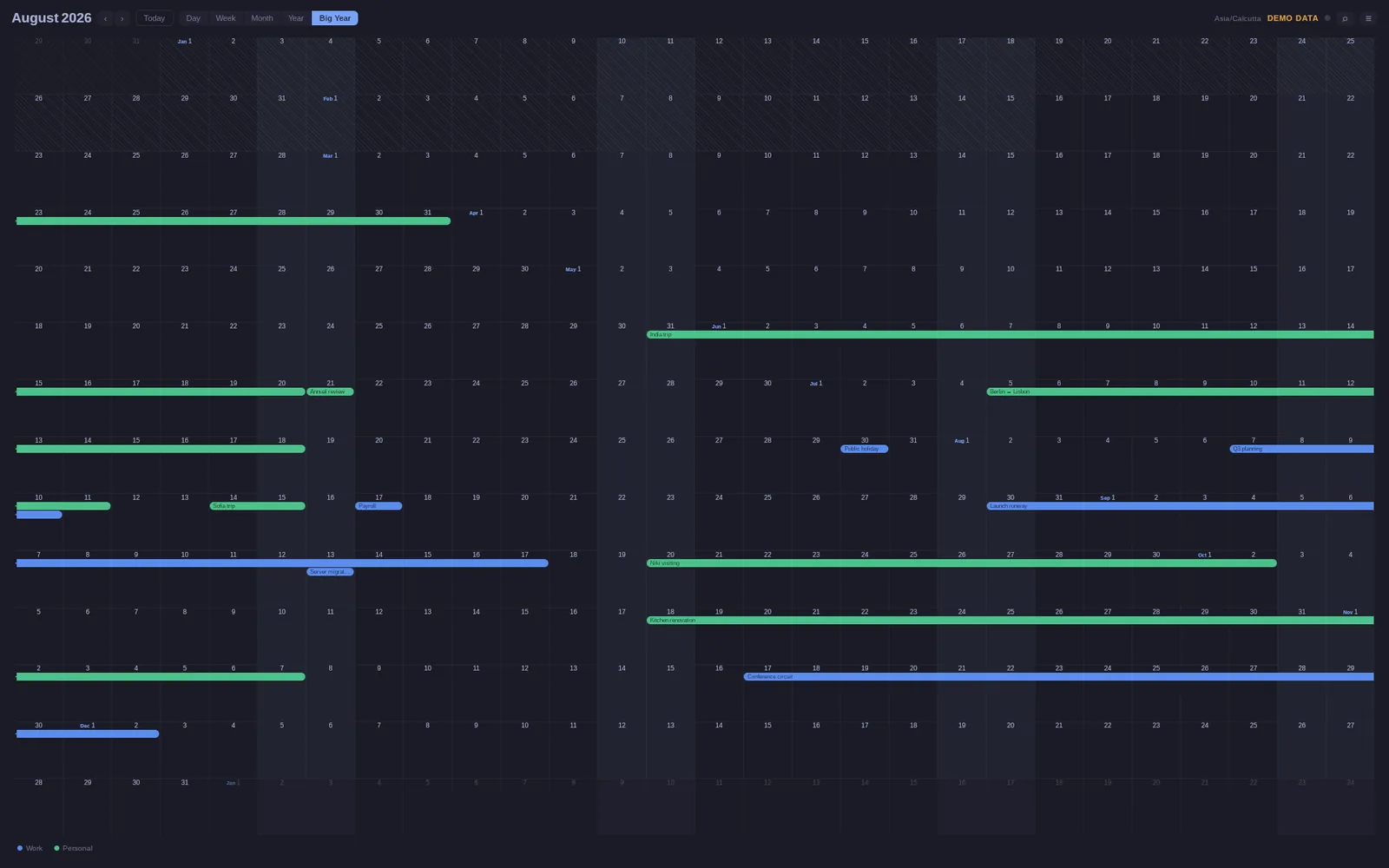
Day, Week, Month, Year, and Big Year, a 14-row ribbon of the whole year for scanning twelve months at once. Keys 1 to 5 switch between them instantly.
List mode
Draw Day, Week and Month as a list of days instead of a grid. Days with nothing on them are left out: a quiet month is four rows, not thirty-one headers.
Every account you have
Connect several Google accounts, plus iCloud and any CalDAV server, with per-calendar control over what is displayed and what is fetched: two separate switches, deliberately.
iCloud without the drama
Sign in with an app-specific password from your Apple ID page: a scoped credential you can revoke any time, stored only in your keyring. Full editing, guarded so a change made on your phone is never silently overwritten.
Task lists
CalDAV task lists sync alongside your calendars: complete, add and delete from the app, and anything overdue or due soon shows up in the Omarchy bar widget.
Full create, edit, delete
Real writes against your real calendar, including recurring events at three scopes: this occurrence, this and following, or all events.
Guests, emailed only on purpose
Add guests, mark them optional, RSVP from the event popover. Saving asks who to notify, so fixing a typo in an address no longer emails the whole room.
Invitations that cannot slip past
A new invitation notifies you and stays on screen until you deal with it: one click accepts. The header tray backs it up with Yes, Maybe and No on anything unanswered, plus who declined your meetings and what was rescheduled or cancelled.
Drag like you mean it
Drag an event to move it, resize it by an edge, or sweep empty grid to start a new one pre-filled with the span. Pinch or Ctrl-scroll to zoom the hours. A drag never emails anybody by itself.
Search that lands near today
Press / and type. Results appear as you type, nearest to today first in either direction, and a recurring event is one result, not one per occurrence.
Reminders that match your phone
Notifications come from each event's own reminders, falling back to the calendar's defaults, so what fires on your desktop matches what your phone does.
Sync you never think about
Every five minutes, on window focus, and after every write. Its state is a small dot in the header, quiet when everything is current.
Views
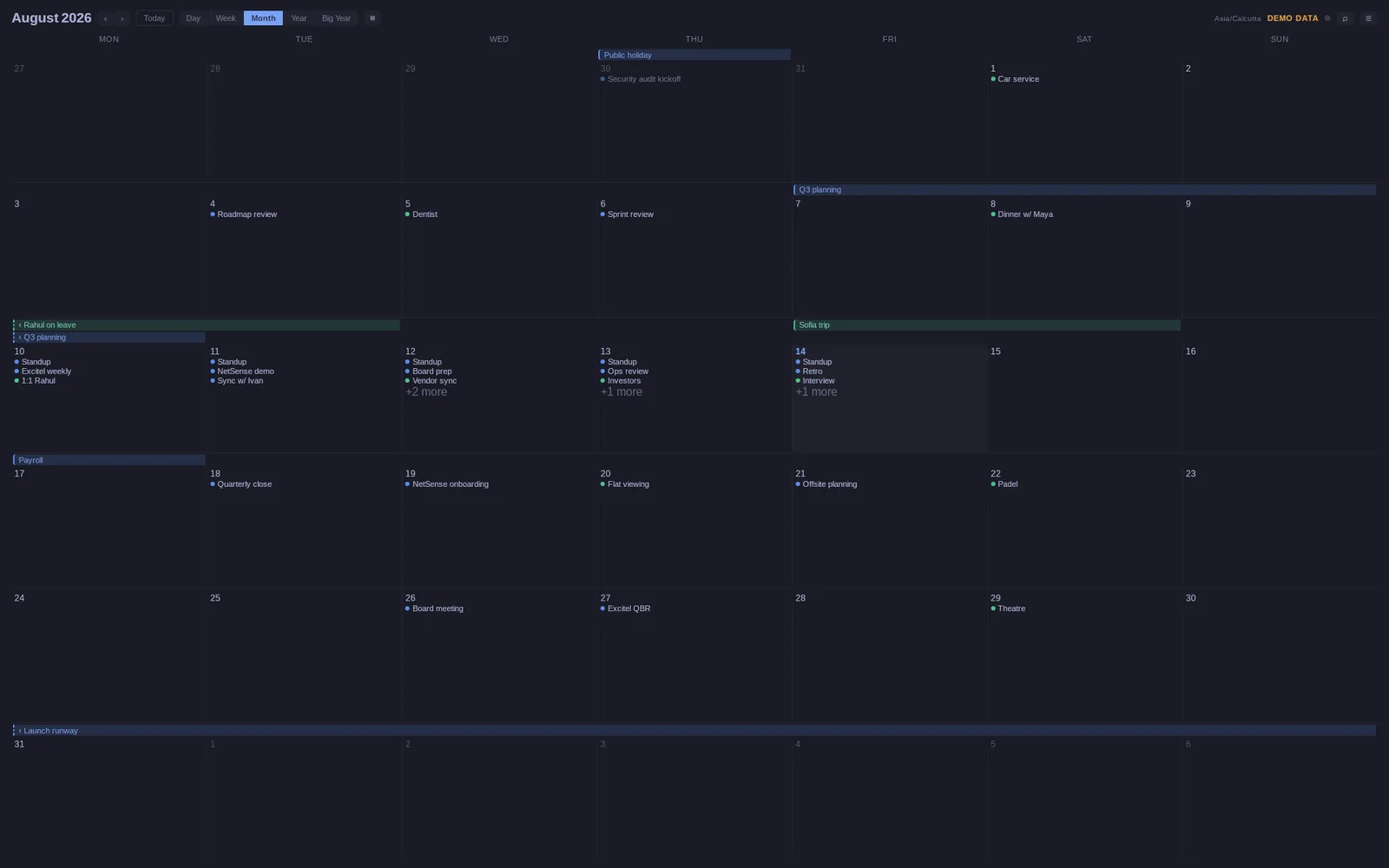
This month, or the whole year.
Month keeps the near term readable. Big Year, a view most calendars do not have, lays the entire year out as a 14-row ribbon, where long trips and multi-week plans become visible shapes instead of tooltip surprises.
Keyboard
Hands on the home row.
The whole app is reachable without a mouse, on any keyboard layout. These are the real bindings, not a marketing metaphor.
The CLI · Agent ready
Your terminal is a client too.
The same binary answers from a shell: your agenda, offline, across every connected account. It writes as well, with every write carried out by the running app through the same guards its own form has.
❯ omacal agenda --days 1
Fri, Sep 5
  09:00–09:30  Daily standup  · Zoom
  11:00–12:30  Deep work

❯ omacal events create --title "Coffee with Ana" \
      --date 2026-09-05 --start 15:00 --end 15:45
Created: Coffee with Ana

❯ omacal events respond 41 yes
Answered: Design review
Wire your agent in one command
The binary carries its own agent skill. One command installs it and links it for Claude Code, and every OmaCal update refreshes it, so your agent never reads instructions for a binary that no longer matches. Any other framework: omacal skill prints the same document.
omacal skill installSafe to point an agent at
Reads come straight from the local database: offline, instant, read-only. Writes travel a local socket into the running app, so an agent inherits the conflict guard, the recurrence scopes, and one refusal the form never needed: an event with guests requires --notify all|none said out loud. Whether people get emailed is your call, never a default's, and never an agent's.
Built for scripts, honest with agents
Everything speaks --json with a stable envelope and stable exit codes, and never prompts. With no app running, a write refuses rather than launching one.
Your data
Your calendar stays on your machine.
OmaCal talks directly to Google, iCloud or your CalDAV server on your behalf and keeps what it fetches in a local database on your device. Your sign-in credentials live in your operating system's keychain. There are no Extreme Labs servers behind it, no accounts with us, no analytics, and no telemetry. We never see your calendar.
OmaCal's use of information received from Google APIs adheres to the Google API Services User Data Policy, including the Limited Use requirements. The full privacy policy says exactly what is accessed and where it goes.
Open source
Read it, build it, fix it, fork it.
Rust, Svelte and Tauri, with a test suite that runs the interface in two browser engines on every push. Bug reports get answered, and most days they get fixed.